Pi Temperature & Humidity Thermometer
An IoT project built with Raspberry Pi, Python, and GPIO sensors. Features a servo-driven thermometer, a buzzer for alerts, and a real-time dashboard for data monitoring.
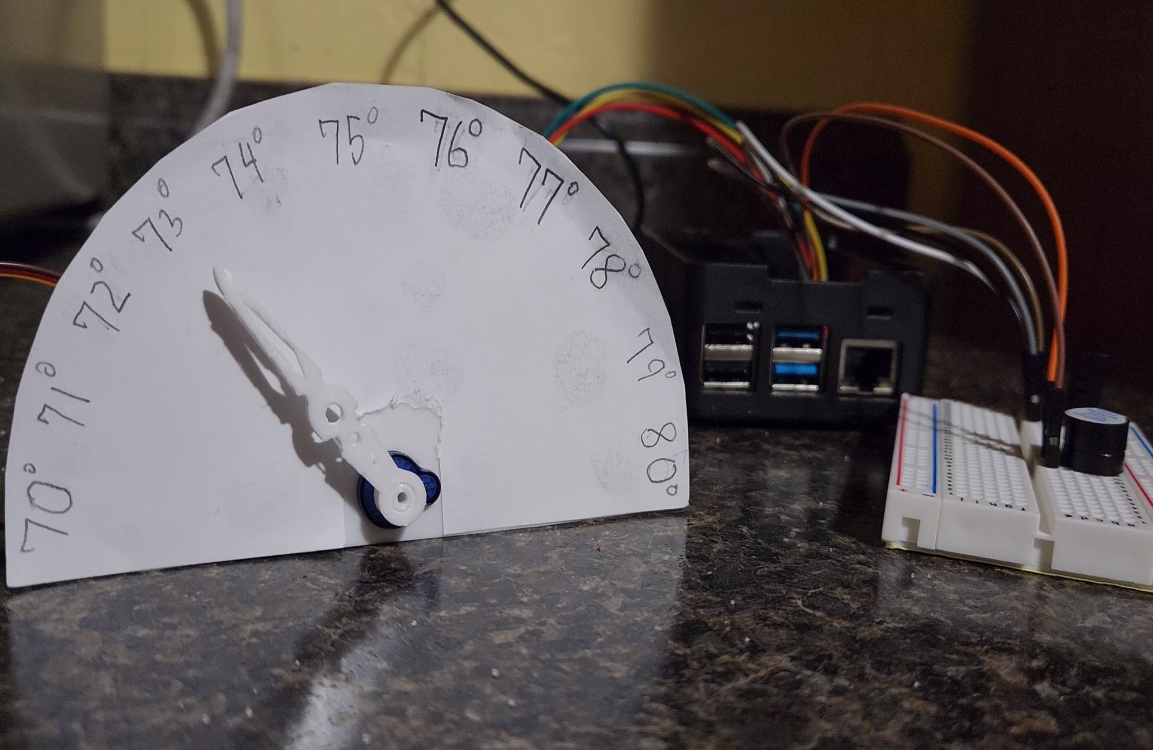
What We Did
This project was one of the first assignments in my IoT course at Baldwin Wallace. My goal was to build a web dashboard for displaying real-time temperature and humidity readings from a Pi-connected sensor. I also added a servo mechanism to act as a physical thermometer and a buzzer that sounded every 10 seconds to indicate a new reading. This was my first hands-on experience combining Raspberry Pi hardware with software-driven visualization.
Creating the Temp & Humidity Sensor
Using Python on the Pi, I wrote a loop that captured readings every 10 seconds. Each cycle:
- Rotated the servo to display the temperature on a physical dial
- Triggered the buzzer for a short tone
- Sent the new reading to the dashboard for live monitoring
While simple, this project taught me core IoT skills like working with GPIO, integrating sensors, and building real-time feedback loops. I even 3D-printed the thermometer casing to complete the project.
Conclusion
This project was a great introduction to Raspberry Pi development and gave me valuable experience in hardware-software integration. The skills I learned here carried over into larger projects, including the Smart Mailbox. It reinforced my interest in IoT and inspired me to continue building connected devices.